Biamp released Tesira firmware 5.7.2 in November 2026, a maintenance update for Tesira, TesiraFORTÉ and Voltera D and D M amplifiers, alongside version 1.2.0 of its Biamp Discovery Tool. For London offices, colleges and venues already running Biamp Tesira firmware, the headline fixes are a Voltera D communication fault after the 5.7.1 update, several Dante problems and a discovery bug affecting devices on firmware 5.7.0 and later.
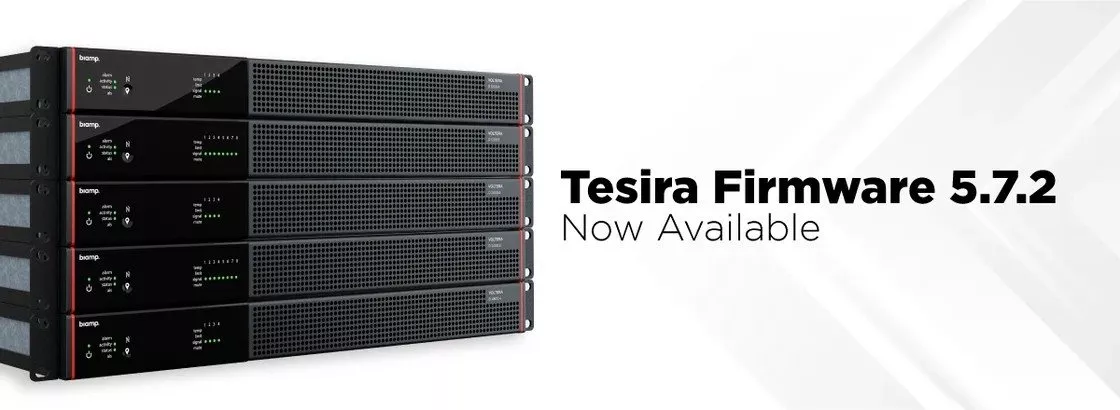
Product image: Biamp.
- Biamp describes Tesira 5.7.2 as a maintenance release with a wide range of fixes for Tesira, TesiraFORTÉ and Voltera D and D M amplifiers, and its release notes date it November 2026.
- It cures a communication failure seen when Voltera D and D M amplifiers running pre 5.0 firmware were taken to 5.7.1.
- Custom Dante channel names that reverted to defaults, which Biamp says resulted in loss of audio, are fixed, as are problems enrolling with Dante Domain Manager.
- Tesira devices can now accept bulk Dante channel name changes from Dante Controller.
- Biamp Discovery Tool 1.2.0 finds Devio SCX and TesiraFORTÉ X processors configured with Biamp Launch again on firmware 5.7.0 and later, and Biamp recommends moving to it.
What Biamp announced in November 2026
Biamp's product announcement covers two pieces of software. The first is the firmware. In Biamp's words: "Tesira 5.7.2 firmware is a maintenance release with a wide range of fixes for Tesira, TesiraFORTÉ, and Voltera D and D M amplifiers." It is a corrective release: the Tesira release notes list one new capability and fifteen resolved firmware issues.
The second is the Biamp Discovery Tool, used to locate Devio SCX and TesiraFORTÉ X processors by IP address when Biamp Launch was used to set them up. Version 1.2.0 cures a bug that hid devices running 5.7.0 or newer firmware.
If you read our post on the Tesira 5.7.1 firmware, this release follows directly on from it. One of the headline fixes in 5.7.2 deals with a side effect of moving older Voltera amplifiers to 5.7.1.
The Biamp Tesira firmware 5.7.2 fixes, grouped by area
We have sorted the release notes by the part of a system each fix touches.
| Area | What Biamp says 5.7.2 resolves |
|---|---|
| Voltera amplifiers | Pre 5.0 Voltera D and D M amplifiers losing communication once taken to 5.7.1; a Voltera D 4800.4 that would not permit 3600 W on each channel |
| Dante naming | Custom Dante channel names reverting to default names, resulting in loss of audio; new support for bulk channel name changes from Dante Controller |
| Dante Domain Manager | Dante devices unable to enrol with or locate a Dante Domain Manager by its fully qualified domain name; Audio-Technica microphones in an enrolled Tesira system not regaining Dante control communication after the connection to the manager was lost; a rare internal software error on TesiraFORTÉ DAN Rev B and later models |
| Control and paging | A 16 second TTP login delay on TesiraFORTÉ Rev A; an NPX paging station Max Page Level, sent over TTP, that was lost; paging station filters that only applied after a Bypass toggle |
| TesiraFORTÉ X and Biamp Workplace | Erroneous DSP Task log messages on a Biamp Launch enabled TesiraFORTÉ X; a factory reset not clearing the configuration or the Biamp Workplace association; multi channel level and metering block channels shown out of order in Biamp Workplace Command |
| System and security | A rare Failed to Send Config when changing Media Clock master; devices using an expired HTTPS certificate; an SSH related CVE, addressed by moving to OpenSSH 10.5p1 |
The release notes also carry one known issue: the Enable IGMP Querier network setting for TesiraFORTÉ X and TesiraCONNECT is disabled regardless of what Tesira Software shows. Biamp adds that joining an IGMP multicast group continues to work as expected. Worth raising with your network team.
Which London buildings this affects
Sites with Voltera amplifiers that skipped versions. The most specific fix is for Voltera D and D M amplifiers that were on firmware older than 5.0 and were then moved to 5.7.1. Biamp says they failed to communicate afterwards. Our post on Biamp audio in a gym shows how far Biamp sound now reaches beyond the meeting room.
Offices with large Dante networks. Multi floor offices in the City and Canary Wharf may carry Dante audio between floors, and channel names are how engineers keep track of many signals. Biamp says names reverting to defaults resulted in loss of audio.
Organisations using Dante Domain Manager. Universities, corporate headquarters and other sites that enrol their Dante devices in a Dante Domain Manager will want the enrolment fixes, particularly where the manager is reached by a domain name rather than an IP address.
Teaching spaces. Lecture theatres with ceiling microphones and voice reinforcement can be built around Tesira processing. We looked at one example in our post on Biamp voice reinforcement at Emory, and more in our education AV work.
How to plan a Biamp Tesira firmware update
Biamp's normal Tesira firmware update procedure, in short:
- Update Tesira Software and Biamp Canvas to the latest versions first. At the time of writing, Biamp's downloads page lists Tesira Software 5.7.0; 5.7.2 is a firmware release.
- Check the Tesira firmware update path. Biamp says moving from a 4.x version to 5.7 or newer needs a step to a 5.x version older than 5.7, and it names 5.6.1 as the best option for that step.
- Save a backup copy of the running configuration file, and the Biamp Canvas file if there is one.
- Apply the update from Device Maintenance in Tesira Software. Biamp says typical updates take 5 to 15 minutes and that all audio stops during the update.
- Allow time for expanders. Biamp says expanders configured in a system update automatically after the server class devices, which can take up to 15 more minutes without audio.
Biamp does not recommend updating over WiFi or a remote internet connection. In a busy London office that means an out of hours visit and a test of each room afterwards. Biamp also offers a separate TesiraFORTÉ X firmware web version of 5.7.2, which it says is only valid when updating a FORTÉ X through its web interface.
Download Discovery Tool 1.2.0 before you start, so a Launch configured TesiraFORTÉ X stays visible once it is on 5.7.2.
Where this fits in a London meeting room
In a London meeting room built on Biamp, a TesiraFORTÉ processor can sit between the microphones, the loudspeakers and the Teams or Zoom computer, doing the audio processing. Users rarely notice firmware until a room goes quiet, so maintenance releases like this belong in a planned cycle.
Across London, 1Install designs, supplies and installs audio systems, Teams Rooms and meeting rooms. See our Teams Room installation in London, our audio conferencing notes and our maintenance and support plans, read how a project runs, or get a guide figure from our online quote builder.
Questions we are often asked
What is Biamp Tesira firmware 5.7.2?
It is a maintenance release Biamp published in November 2026 for Tesira, TesiraFORTÉ and Voltera D and D M amplifiers. It fixes Voltera, Dante, paging, control and security issues and adds bulk Dante channel renaming from Dante Controller.
Do I need to update my Voltera amplifiers to 5.7.2?
Yes, where they ran pre 5.0 firmware before moving to 5.7.1. Biamp says such amplifiers could stop communicating, which 5.7.2 corrects.
Will audio stop while Tesira firmware is updated?
Yes. Biamp says all audio stops during a firmware update, which typically takes 5 to 15 minutes, and expanders can take up to 15 more minutes.
Why can the Biamp Discovery Tool not find my TesiraFORTÉ X?
Earlier versions missed any unit on 5.7.0 or newer firmware. Biamp says version 1.2.0 cures this and recommends installing it.
Can I update a Tesira system straight from 4.x to 5.7.2?
No. Biamp's firmware path article says going from 4.x to 5.7 or newer needs an intermediate step to a 5.x version older than 5.7, with 5.6.1 named as the best choice.
Book a consultation or call our head office on 01344 937999 (London office 0208 064 0196).
- Log in to post comments