Biamp says that with firmware 5.0 the Impera Connect-X MP6 becomes a Biamp Workplace expander, controlling RS-232, IR, GPIO and IP devices from one interface, in a product roundup published in November 2026. For London offices with Impera rooms already on the wall, the same update brings Workplace Tools 1.3.0 and a new Impera Migration app to move them from Project Designer to Workplace Control, alongside Evoko Naso firmware 4.0.116 and black brackets for the BMA 360D.
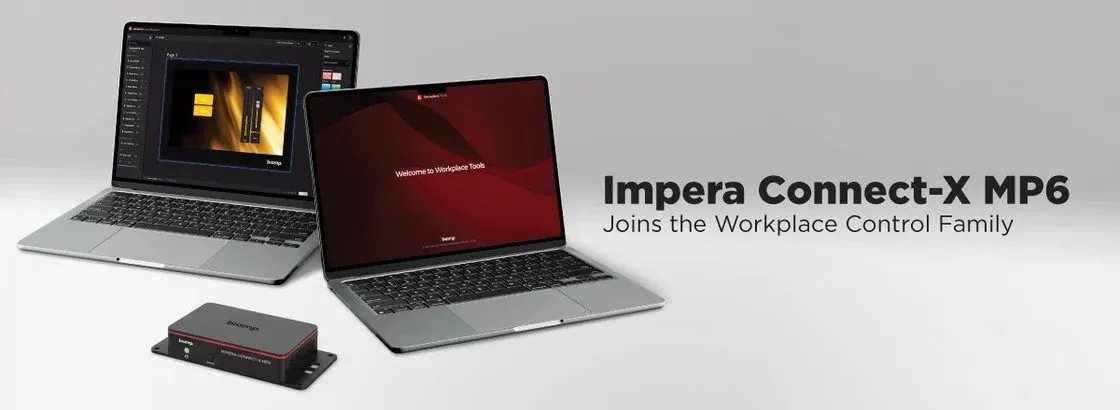
Product image: Biamp.
- Firmware 5.0 turns the Impera Connect-X MP6 into a Biamp Workplace expander, which Biamp says gives hardware customers already own new capabilities.
- Devices on RS-232, IR, GPIO and IP can be controlled from a single interface, whatever their brand, according to Biamp.
- Connected devices appear in Workplace Command and Workplace Control Designer, so rooms can be monitored, configured and troubleshot without a site visit.
- Workplace Tools 1.3.0, released in November 2026, adds Connect-X MP6 support and the Impera Migration app.
- The same roundup brings Evoko Naso firmware 4.0.116 and three black mounting brackets for the BMA 360D ceiling microphone.
What Biamp announced about the Impera Connect-X MP6
Biamp's November 2026 product roundup leads with a small box that matters more than its size suggests. The Connect-X MP6 has been part of Biamp's Impera control range for some time. With firmware version 5.0 it joins what Biamp calls the Workplace Control family, acting as an expander inside Biamp Workplace rather than as part of an Impera project built in Project Designer.
The pitch is about the whole room. Biamp lists displays, cameras, projectors, lights, shades and screens as the kind of equipment it means, and it describes a single button that starts a meeting. In Biamp's words: "One button starts the meeting: the display turns on, the screen lowers and the lights dim, no matter the brand." That is the core job of a room control system, now handled from inside the same platform Biamp uses for monitoring and management.
The second half of the story is visibility. Biamp says devices connected through the expander, across an organisation, show up in Workplace Command and Workplace Control Designer. The stated aim is that a facilities or IT team can monitor, configure and troubleshoot rooms across all their sites without walking to each one.
Workplace Tools 1.3.0 and the route from Project Designer
Migration runs through Workplace Tools, Biamp's desktop app for discovering devices and adding them to Workplace organisations. Biamp's support notes for Workplace Tools list version 1.3.0 with a release date of November 2026 and one headline feature: the Impera migration application. The announcement sets out the order of work, which we have put in a table.
| Step | What happens, as Biamp describes it |
|---|---|
| 1. Install Workplace Tools 1.3.0 | The release that adds Connect-X MP6 support, downloadable from Biamp's downloads page |
| 2. Discover the expander | The new Impera Migration app finds the Connect-X MP6 on the network |
| 3. Upgrade it | The same app upgrades the unit from Project Designer to Workplace Control |
| 4. Configure it | Room control is then set up in Workplace Control Designer |
Biamp's support article on Impera and Workplace compatibility adds two prerequisites: a Biamp Workplace account, which gives access to the admin portal where organisations are created and devices are licensed, monitored and managed, and the Workplace Tools desktop app itself.
Version 1.3.0 also carries three other improvements, according to the announcement. A device stuck in a mismatched state can have its Workplace connection cleared directly. USB authorisation in EasyConnect works more reliably. Organisations with more than 1,000 locations now load in full, which Biamp frames as being built for enterprise scale.
Who this affects in London
Offices with Impera rooms already installed. If your meeting rooms were programmed in Project Designer and use a Connect-X MP6 to reach a display, projector screen or blind controller, this is the update that decides where that control lives in future. It is worth a planned migration rather than an ad hoc one.
Estates moving to Biamp Workplace. Many London firms now manage meeting rooms across several floors or buildings. Bringing room control into the same platform as monitoring means one place to look when a room fails at nine in the morning. Our earlier post on moving Evoko Liso panels to Biamp Workplace covers the booking side of the same platform.
New fit outs with mixed brands. The announcement stresses RS-232, IR and GPIO as well as IP, and repeats that the brand of the controlled device does not matter. That suits a refurbished floor where some displays, screens and lighting controls are kept and others are new.
What to plan before you migrate
Start with an inventory. List each room that uses a Connect-X MP6, what it drives over each port type, and what the current touch panel or button does. That list becomes the brief for Workplace Control Designer.
Next, check the Workplace side: who holds the account, which organisation and locations the rooms belong to, and whether the network allows Workplace Tools to discover the units. Then schedule the work out of hours, room by room, and test the one button start in each room before handing it back.
Keep in mind that Biamp's announcement names only the Connect-X MP6 and does not list which other Impera devices move across in the same way. At the time of writing, confirm the full device list for your estate with Biamp's support documentation before committing to a date.
The other two items: Evoko Naso and black BMA 360D brackets
Evoko Naso firmware 4.0.116. Biamp describes this as a maintenance, stability and security release, delivered through Biamp Workplace. The setup screen now offers the Biamp Workplace Booking app in place of the Evoko app. Biamp's Naso release notes also record a fix to the ethernet protocol so the panel works with additional network equipment, updated priority for various error types and fixes in the Find another room and schedule views.
Black mounting brackets. Three black kits are now shipping for ceilings that do not use tiles: the BMA 360D-SM Black surface mount (920-10866-10000), the BMA 360D-RM Black recessed mount for the 24 in model (920-10864-10000) and the BMA 360D-RM-I Black recessed mount for the 600 mm BMA 360D-I (920-10865-10000). The 600 mm option matters here, since most suspended ceilings in London offices follow a 600 mm module. We covered the black microphone itself in our post on the black Biamp BMA 360D.
How an Impera Connect-X MP6 fits a London meeting room
In a typical boardroom the expander might sit out of sight near the display or in the furniture, with serial or IR to the screen, a contact closure to a projection screen or blind, and an IP link to anything else. A Teams Room on the table then shares the space with room control that someone can monitor remotely. See our Teams Room installation in London page and our notes on meeting room AV.
1Install designs, supplies and installs meeting rooms, Teams Rooms and room control systems. Read how a project runs, look at our maintenance and support plans, or get a guide figure from the commercial quote builder.
Questions we are often asked
What does firmware 5.0 do to the Impera Connect-X MP6?
It makes the Connect-X MP6 a Biamp Workplace expander. Biamp says it can then control RS-232, IR, GPIO and IP devices from one interface within Workplace Control.
How do I migrate an Impera Connect-X MP6 from Project Designer to Workplace Control?
Use Workplace Tools 1.3.0. Biamp says you discover and upgrade the unit with the new Impera Migration app, then configure it in Workplace Control Designer.
Do I need a Biamp Workplace account to use Workplace Control?
Yes. Biamp's Impera compatibility article lists a Biamp Workplace account and the Workplace Tools desktop app as the required applications.
Is Evoko Naso firmware 4.0.116 a feature update?
Mostly no. Biamp calls it a maintenance, stability and security release; the one new feature listed is the Biamp Workplace Booking app on the setup screen.
Are black brackets available for the 600 mm BMA 360D-I?
Yes. Biamp says the BMA 360D-RM-I Black recessed mount for the 600 mm BMA 360D-I is shipping, and the BMA 360D-SM Black surface mount fits both sizes.
Book a consultation or call our head office on 01344 937999 (London office 0208 064 0196).
- Log in to post comments