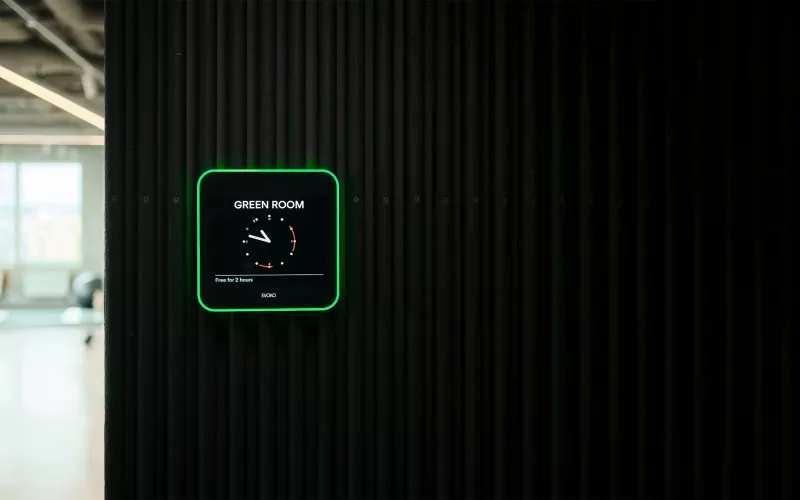
In October 2026 Biamp released a migration tool and new Workplace firmware (version 4.0.1) that move existing Evoko Liso room booking panels onto Biamp Workplace cloud management, without swapping any hardware, Biamp says. In the same October 2026 update Biamp also released EasyConnect MPX Management Console 1.3 for the MPX 250 meeting room switcher, so London offices that run Liso panels outside their meeting rooms, or MPX hubs on the table, both have something to plan for.
Product image: Biamp.
- Biamp announced in October 2026 that existing Evoko Liso panels can be moved to Biamp Workplace through a guided firmware update.
- Biamp lists its Liso migration tool as release 1.0.0, for use on a Windows PC or a Mac.
- Biamp's guide offers two routes: one reads an existing Evoko Home server and recreates its locations in Workplace, the other assigns panels one at a time to rooms already set up in Workplace.
- Panels are provisioned from a USB drive of 1 GB or larger, and Biamp says this takes about five minutes per panel.
- The new MPX console release (1.3) brings MPX 250 discovery steps, batch firmware updating within a session and a UC lock for the hub's ports.
What Biamp announced for Evoko Liso
Biamp's October 2026 product update describes an updated Evoko Liso room booking solution that brings existing Liso installations into Biamp Workplace, the company's cloud platform for monitoring, management and booking. So far Liso panels have normally relied on Evoko Home, server software that Biamp says can be installed on Windows or Ubuntu and that keeps the panels in step with the calendar system.
The change is a firmware change, not a new device. Biamp's announcement says current Liso devices can be migrated with "no hardware replacement required", and lists the benefits as centralised cloud management, clear room status at the door, simple on screen booking and a more connected booking experience across Workplace. Biamp's support site lists the Liso Biamp Workplace firmware as version 4.0.1, released in October 2026, alongside version 1.0.0 of the migration tool.
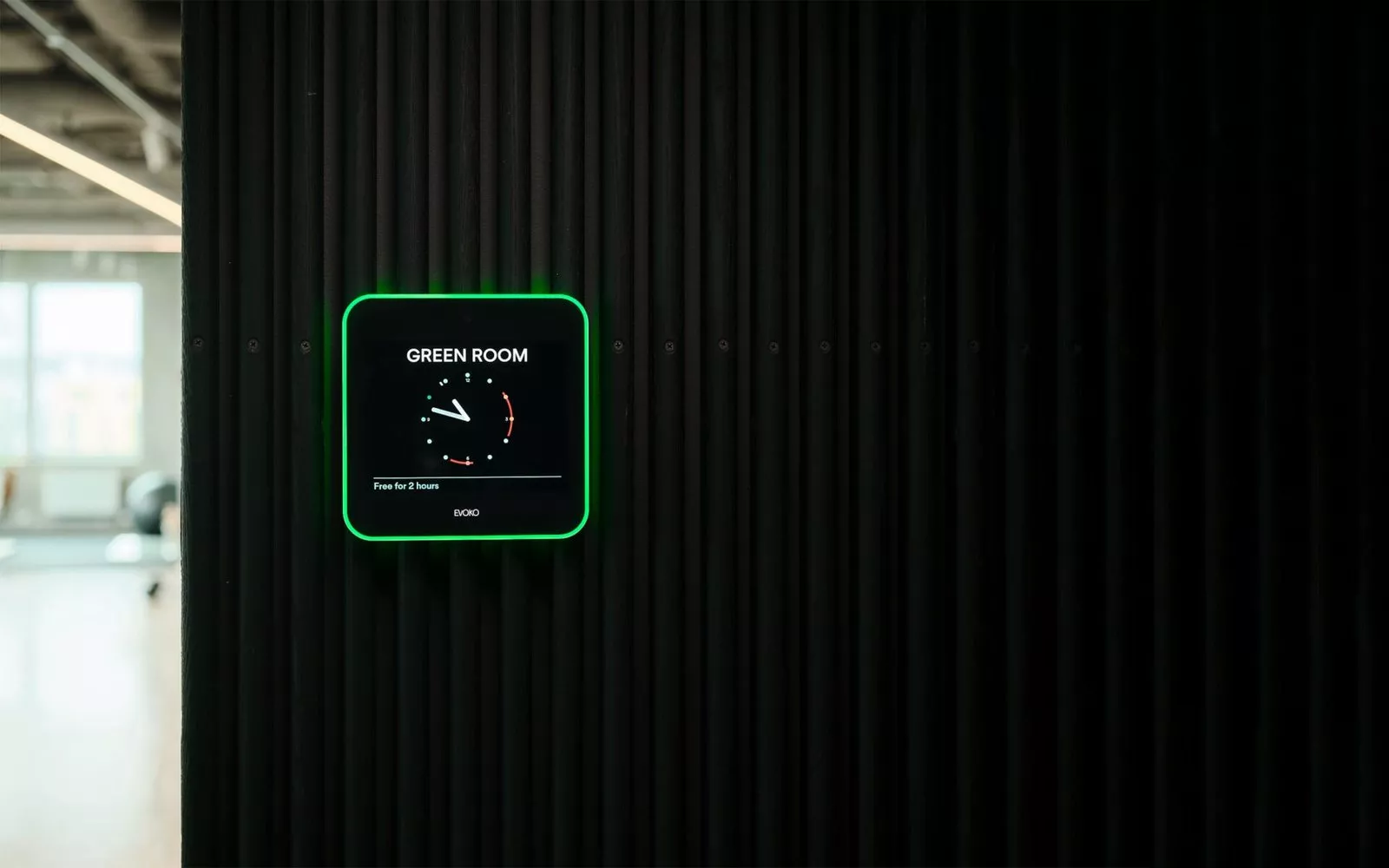
The Liso is the square panel with a coloured light ring beside a meeting room door. Biamp's product page describes an 8 inch capacitive touch screen that shows green for free, amber for a meeting about to start and red for occupied.
Who this affects in a London office
Offices already running Evoko Home. If your Liso panels talk to an Evoko Home server, this is the route Biamp has built for you. The tool reads the locations and panels on that server and recreates them in a Workplace organisation, and it can move several panels in one pass if they sit on the same server.
Offices with panels that never had a server. A new Liso, or one running without Evoko Home, can be assigned straight to a Workplace room. Biamp says this route handles one panel at a time.
IT and facilities teams across several floors or sites. Biamp pitches Workplace as a way for IT, AV and facilities teams to look after room booking across locations with more consistency.
The two Evoko Liso migration paths compared
| Question | Path A: from Evoko Home | Path B: start in Biamp Workplace |
|---|---|---|
| Which panels | Panels already deployed on an Evoko Home server | New panels, or deployed panels with no Evoko Home installation |
| Locations | Recreated in Workplace from Evoko Home | Must already exist in Workplace; the tool does not create them |
| Panels per run | Several, if they share one Evoko Home server | One at a time |
| USB drive | One drive for every panel | A drive loaded for each panel |
| You will need | The Evoko Home server address and admin login | Each panel's serial number, printed on its rear label |
Whichever route you take, Biamp lists three things: Admin or Owner rights in the target Workplace organisation, a USB stick no smaller than 1 GB with nothing on it, and a PC or Mac for the tool. Biamp's guide warns that the drive is formatted when it is built, so anything already on it is erased.
What to do before migration day
List the panels. Room names, floors and serial numbers save time on either route and show whether every room has a matching location.
Allow time for each panel. Biamp says provisioning takes about five minutes per panel once the drive is plugged in and the panel switched on, and the panel restarts and shows the Biamp logo while it works. Someone has to walk the drive from door to door, so pick a quiet morning.
Know how to go back. Biamp's downloads page carries a restore file named "Evoko Liso Restore to Evoko Home" for panels that need to go back to Evoko Liso firmware, for example to use Evoko Home again or as part of a return. After a restore the panel is unprovisioned and is brought back into Workplace with Path B.
Check calendar and booking settings. Biamp's Evoko Liso product page lists Microsoft Office 365, Exchange, Google Workspace and IBM Domino support, with Evoko Home handling the sync. Biamp's support pages send Workplace booking settings and digital ID requirements to the Biamp Workplace Admin Help System, so read those before you move any panels, as they can change.
The second part: EasyConnect MPX Management Console 1.3
The other half of Biamp's October 2026 update is for the EasyConnect MPX 250, which Biamp's support site calls a BYOM switching system: a tabletop unit where up to four laptops plug in by USB-C, so guests can bring their own meeting platform into a room built around a dedicated Teams or Zoom system.
Release 1.3 of the free console now includes the MPX 250 in its discovery steps, and one session can carry out a series of firmware updates, ending with a list of what was done. Biamp says the UC settings can now hold the ports in their UC state, which stops an unintended change to BYOM. Biamp also lists better handling of values the console cannot read from the hub, clearer wording in information messages, and a fix for factory default settings that did not always apply the correct values. Per the release notes, an MPX 250 with internet access keeps the console current automatically, or you can trigger the update manually.
How Evoko Liso fits a London meeting room floor
Room booking panels earn their place where rooms are scarce and people book on the move, as in many London offices. Moving to Workplace is about how the panels are looked after, which matters once there are more than a handful.
If you are planning wider changes at the same time, our pages on meeting rooms, Teams Room installation in London and video conferencing cover the room side, and our earlier post on Biamp Workplace camera control covers another Workplace change. You can also price a room with the commercial quote builder or read about our maintenance and support. 1Install designs, supplies and installs meeting rooms, Teams Rooms and video conferencing systems.
Questions we are often asked
Do I need new panels to move Evoko Liso to Biamp Workplace?
No. Biamp says existing Evoko Liso devices are migrated through a guided firmware update with no hardware replacement required.
What do I need to migrate Evoko Liso panels?
Admin or Owner rights in Biamp Workplace, a cleared USB stick of 1 GB or larger and a PC or Mac with Biamp's migration tool installed. Coming from Evoko Home, you also need that server's address and an admin login.
How long does it take to migrate an Evoko Liso panel?
About five minutes per panel, Biamp says, once the USB provisioning drive is inserted and the panel is powered on.
Can I switch an Evoko Liso panel back to Evoko Home?
Yes. Biamp publishes an "Evoko Liso Restore to Evoko Home" file on its downloads page, and after the restore the panel is unprovisioned.
What is new in MPX Management Console 1.3?
Discovery steps for the MPX 250, batches of firmware updates in a single session, a lock that keeps the ports in UC mode, and a fix for factory defaults, Biamp says.
Book a consultation or call our head office on 01344 937999 (London office 0208 064 0196).
- Log in to post comments