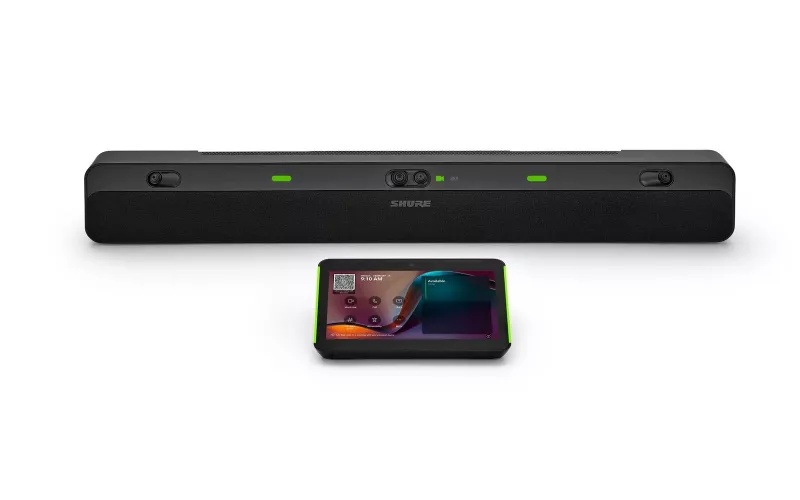
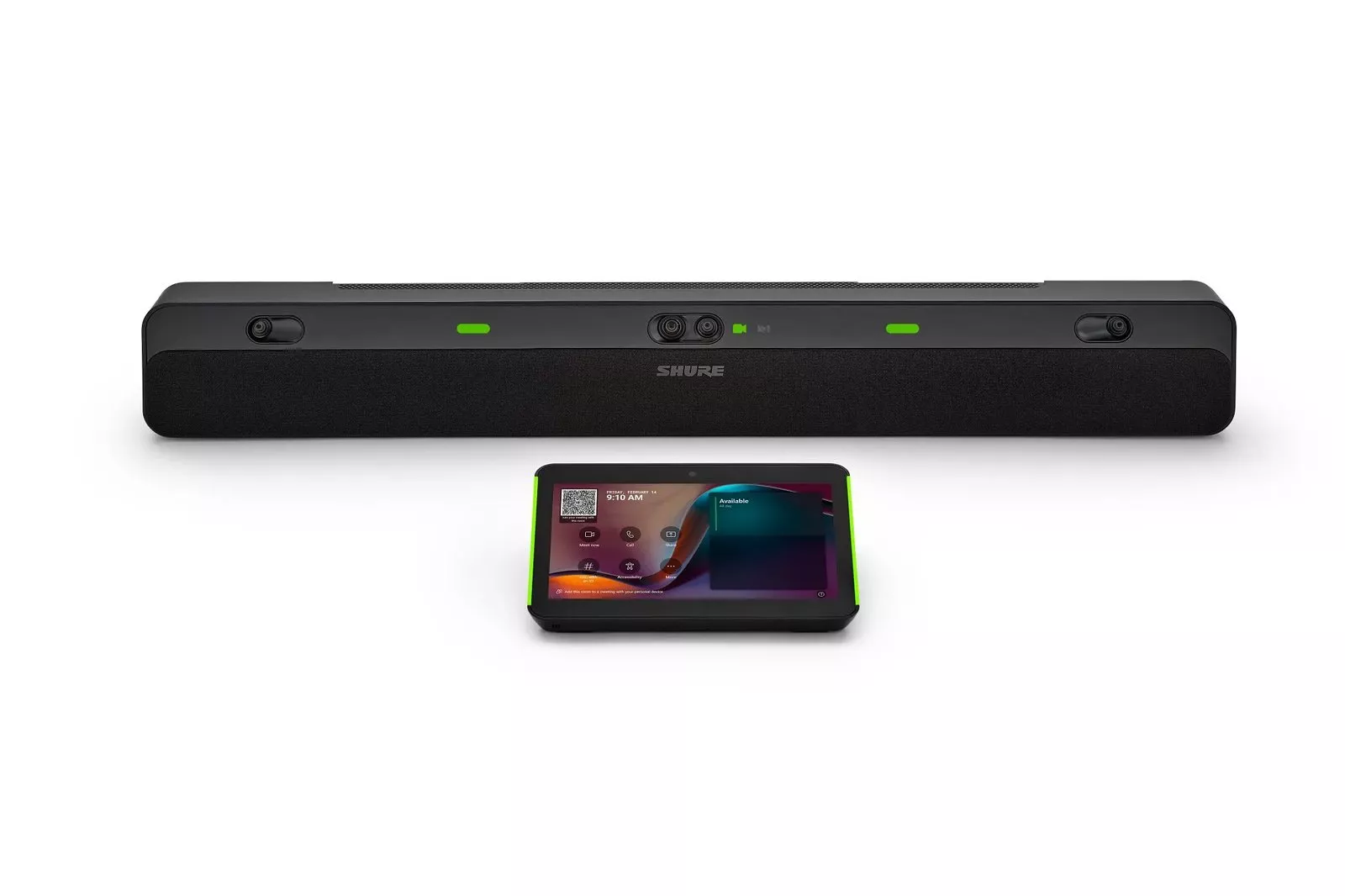
Shure has started shipping the Shure IntelliMix Bar Pro, a Microsoft Teams certified video bar with a touch panel, aimed at medium and large meeting rooms. For London firms planning a boardroom refresh, it adds a single box option alongside the usual ceiling microphone and separate camera design, so the choice deserves a proper look before anything is ordered.
Product image: Shure.
- Shure issued a press release dated 29 September 2026 saying the IntelliMix Bar Pro, first announced in January, is now generally available.
- It is a Microsoft Teams certified all-in-one video bar and touch panel for medium and large meeting rooms, sold by Shure as the IntelliMix Bar Pro Kit, model IMXBPK.
- Microsoft's certified list names the parts as the IntelliMix Bar Pro IMXBP and the IntelliMix Touch Panel IMXTP10, with a current certification end date of 15 August 2028.
- Shure says four 4K cameras give a combined 135 degree field of view, with Microflex Advance array microphones and stereo loudspeakers in the same bar.
- Microsoft lists a medium room of 4.5 m x 6 m and a large meeting room of 4.5 m x 8.5 m for this bar.
- The source is Shure's own release, reported by Installation International on 30 September 2026.
What Shure has announced
Shure put out a press release dated 29 September 2026 saying the IntelliMix Bar Pro is now generally available. Trade title Installation International covered the news on 30 September, describing the product as a Teams certified all-in-one collaboration bar and touch panel designed for medium and large meeting rooms (Installation International report). AV Interactive, the website of AV Magazine, also reported the story on 1 October 2026 under the headline "Shure ships IntelliMix Bar Pro for medium and large spaces".
The product was first announced in January, when Shure's launch announcement set out the hardware. The points that matter to a boardroom buyer are these:
- Cameras: Shure says four 4K cameras give a combined 135 degree field of view, with AI framing (which it calls IntelliMix View) picking out active participants.
- Audio: the bar uses Shure Microflex Advance array microphones and stereo loudspeakers, with onboard IntelliMix processing that Shure says reduces background noise and isolates voices.
- Platform: it is Android based, with onboard compute, and built on Microsoft Device Ecosystem Platform (MDEP).
- Kit: Shure's product page lists the IntelliMix Bar Pro Kit as IMXBPK, and Shure describes the product as a bar and touch panel. Microsoft's certified device list names the parts as the IntelliMix Bar Pro IMXBP and the IntelliMix Touch Panel IMXTP10.
- Management: Shure says the system can be controlled, managed and updated remotely through ShureCloud, with support for Microsoft's Pro Management Portal and ServiceNow.
Where the Shure IntelliMix Bar Pro fits in a London boardroom
Bigger boardrooms tend to follow one of two designs. The first is a bar under the display: cameras, microphones and speakers in one housing, plus a touch panel on the table. The second is a separate system: a ceiling microphone array over the table, a dedicated camera at the display end, speakers in the ceiling or walls, and a Teams Rooms compute unit tying it together.
Bars are often thought of as a small room answer. Shure is pitching this product at bigger spaces, and Microsoft has certified it for both its medium and large room categories. That changes the conversation for rooms where a full ceiling system might once have been assumed by default.
Shure's argument leans heavily on AI. Installation International notes that the company is positioning clean audio and video as increasingly important as organisations rely on transcripts, summaries and tools such as Microsoft Copilot. Susy Liem, vice president of collaboration and conferencing at Shure, put the IT side of that plainly in Shure's release: "For IT teams, success isn't just delivering reliable AI outcomes in one room." Consistency across a floor of rooms is a fair goal, and one bar model repeated across several rooms is easier to support than a mix of bespoke designs.
Bar or ceiling system: what to check
Microsoft's certified list gives room sizes for this bar. The table below sets those against the questions we would ask on a survey. The sizes come from Microsoft; the checks are our own guidance.
| Room | Microsoft's listed size | What to check first |
|---|---|---|
| Medium meeting room | 4.5 m x 6 m | Display size and height, whether the table runs straight at the screen, and where the touch panel cable will go. |
| Large meeting room | 4.5 m x 8.5 m | Distance from the bar to the far end of the table, hard surfaces such as glass walls, and noise from air handling. |
| Bigger or odd shaped boardrooms | Outside the listed sizes | Whether a ceiling microphone system and a separate camera would give better coverage, and how the room is used for presentations. |
Acoustics come first. A bar picks up sound from one end of the room. Boardrooms with glass partitions, exposed concrete soffits or long polished tables can be found in City and West End offices, and those surfaces can make any front of room microphone work harder. A ceiling array placed over the table shortens that distance, which is why it is often chosen for long rooms.
Then look at the ceiling. In some leased offices, ceiling work needs landlord consent, coordination with the fit out contractor, or a raised floor route for cables. A bar avoids most of that, and that can make a real difference on a tight programme.
Finally, think about the layout. According to Installation International, the system is designed to capture people sitting close to the display and at the far end of the table. If the room is often rearranged for workshops, a single front of room device may suit it. If the table is fixed and very long, a separate camera system is still worth pricing.
Our meeting room design and audio conferencing pages explain how we approach both routes.
Planning a Teams Rooms upgrade around it
The Microsoft certified device list shows the bar and the touch panel certified for Teams Rooms on Android, on Android 13, with a current certification end date of 15 August 2028. That date matters to anyone budgeting a refresh, because Microsoft says certification end dates are based on the Android version a device runs when it enters the programme. We wrote about why that matters in our audit of older Android Teams Rooms devices.
Shure's product page talks about Teams; we did not find Zoom Rooms or a USB bring your own device mode confirmed in the material we read, so if either matters to you, ask Shure or your supplier to confirm in writing before ordering. The page lists Shure ceiling arrays such as the MXA901 and MXA902 as related products, but we did not see it explain how, or whether, they extend the bar. Treat extra microphones as a question to settle at design stage rather than an assumption.
For IT managers, the management story is worth testing early. ShureCloud and Microsoft's Pro Management Portal can sit side by side, so decide which team watches which alerts and who applies firmware updates. Our maintenance and support service can help with ongoing support if your own team is stretched.
A sensible order of work for a London office:
- List each room with its size, seat count and current kit.
- Match each room to Microsoft's medium or large category, and flag anything bigger.
- Book a site survey that covers acoustics, power, network points and mounting.
- Run a pilot in one room before rolling the same design across the floor.
You can start a rough budget with our commercial quote builder, or read more about our Teams Room installation in London.
Questions we are often asked
Is the IntelliMix Bar Pro certified for Microsoft Teams?
Yes. Microsoft's list of certified Teams Rooms on Android devices includes the IntelliMix Bar Pro IMXBP and the IntelliMix Touch Panel IMXTP10, with a current certification end date of 15 August 2028.
What size of room is it meant for?
Microsoft lists it for a medium room of 4.5 m x 6 m and a large meeting room of 4.5 m x 8.5 m. Shure describes it as built for medium to large Teams Rooms.
Can it replace a ceiling microphone system?
In some rooms it may. It depends on the room's length, its surfaces and how people sit. A survey is the honest way to find out, and in long or reverberant rooms a ceiling array may still be the better choice.
How is it managed once installed?
Shure says IT teams can manage, control and update it remotely using ShureCloud, with support for platforms including Microsoft's Pro Management Portal and ServiceNow.
Can 1Install fit one for us?
1Install designs, supplies and installs meeting rooms, Teams Rooms and video conferencing systems. We can survey your room, compare a bar design with a separate camera and microphone system, and recommend what suits it.
Book a consultation or call our head office on 01344 937999 (London office 0208 064 0196).
- Log in to post comments